UPDATE!!!
The latest versions of the CKSDev for SharePoint 2010 include an SPI for stubbing out a contextual web part! I highly recommend that anyone coding for SP2010 to install the CKS Dev Tools!
http://cksdev.codeplex.com/
I haven’t had much opportunity to work with SharePoint 2010 in the past few months. However, I did get to try out the MSDN walkthrough for creating a custom web part with contextual ribbon tab recently. You can find the article here: http://msdn.microsoft.com/en-us/library/ff407578.aspx
In a nutshell, what’s supposed to happen is when you click on the web part, there will be a custom tab that appears in the Ribbon. It all works great for the first instance of the custom web part you place onto a page, but if you try adding a second instance of the web part, your page blows up!
You’ll get the following error:
Item has already been added. Key in dictionary: ‘Ribbon.CustomContextualTabGroup’ Key being added: ‘Ribbon.CustomContextualTabGroup’
:-/ … looks like there wasn’t much QA done for the walkthrough. Anyways, to make a short story shorter… I posted a question on the TechNet forums and Dallas Tester from MS did get back to me with a bunch of suggestions.
Here are the changes you can make to allow for multiple instances of the custom web part to appear on the page without everything blowing up.
Make the following modifications to the ContextualTabWebPart class.
Add the global ‘_added’ bool and OnInit event handler:
static bool _added = false;

protected override void OnInit(EventArgs e)
{
 base.OnInit(e);
 _added = false;
}
Since we no longer have to get the unique component ID in the delay script, I changed DelayScript into a private string:
private string delayScript = @"
 function _addCustomPageComponent()
 {
  for (var i = 0; i < g_customWebPartIds.length; i++)
  {
    SP.Ribbon.PageManager.get_instance().addPageComponent(new ContextualTabWebPart.CustomPageComponent(g_customWebPartIds[i]));
  }
 }

 function _registerCustomPageComponent()
 {
  SP.SOD.registerSod(""CustomContextualTabPageComponent.js"", ""/_layouts/CustomContextualTabPageComponent.js"");
  var isDefined = ""undefined"";
  try
  {
   isDefined = typeof(ContextualTabWebPart.CustomPageComponent);
  }
  catch(e)
  {
  }
  EnsureScript(""CustomContextualTabPageComponent.js"",isDefined, _addCustomPageComponent);
 }
 SP.SOD.executeOrDelayUntilScriptLoaded(_registerCustomPageComponent, ""sp.ribbon.js"");";
Modify the OnPreRender event handler:
protected override void OnPreRender(EventArgs e)
{
 base.OnPreRender(e);

 ClientScriptManager csm = this.Page.ClientScript;
 string componentId = SPRibbon.GetWebPartPageComponentId(this); // the unique component id

 // if this is the first instance of the custom web part,
 //we need to add the contextual tab to the ribbon
 if (!_added)
 {
  this.AddContextualTab();
  _added = true;
 }

 // we need to create an array which will store the IDs of all instances of our custom web part
 csm.RegisterClientScriptBlock(
  this.GetType(), "DeclareCustomWebPartArray", "var g_customWebPartIds = new Array();", true);

 // add this webpart's ID to our array
 csm.RegisterClientScriptBlock(
  this.GetType(), "AddCustomWebPartId" + componentId, "g_customWebPartIds.push('" + componentId + "');", true);

 csm.RegisterClientScriptBlock(this.GetType(), "ContextualTabWebPart", this.delayScript, true);
}
If you want to verify that the correct web part is trigger the Ribbon commands, you can modify the ‘handleCommand‘ method in ‘CustomContextualTabPageComponent.js‘
handleCommand: function ContextualTabWebPart_CustomPageComponent$handleCommand(commandId, properties, sequence) {
 if (commandId === 'CustomContextualTab.HelloWorldCommand') {
  alert(this._webPartPageComponentId + ' says: Hello, world!');
 }
 if (commandId === 'CustomContextualTab.GoodbyeWorldCommand') {
  alert(this._webPartPageComponentId + ' says: Good-bye, world!');
 }
}
Here’s a ZIP file of the entire solution in case you’re too lazy to make the modifications yourself. 🙂
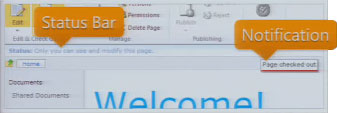 Excuse the really bad screen cap to the right… the Status Bar and Notifications are two UI elements in SharePoint 2010 which allow us to give the user information in context without distracting them. The Status Bar and Notifications are both exposed as client-side JavaScript APIs.